-
Why a checklist instead of "experience"
-
Step 1: Pull the current product catalog — not the PDF you saved last year
-
Step 2: Specify the exact implant configuration — dual mobility vs. fixed bearing
-
Step 3: Verify surgical instrument compatibility before signing
-
Step 4: Cross-check sizes with the surgical plan — twice
-
Step 5: Inspect sterile packaging, integrity, and expiration dates on receipt
-
Step 6: Confirm regulatory documentation and tracking data
-
Related supply categories: same framework, different details
-
Common mistakes I still see — and almost made myself
I've been handling surgical supply procurement for seven years. In that time, I've personally made and documented 14 significant mistakes, totaling roughly $18,500 in wasted budget — not counting the patient-care delays, which are harder to put on a spreadsheet. Now I maintain our team's pre-order checklist so the next person doesn't have to learn the hard way.
This checklist is for anyone who orders orthopedic implants, dental implant systems, surgical instruments, or related products. Whether you're in a hospital procurement department, a surgery center, or a large dental practice, every step below came from a real failure — not best-practice theory.
Why a checklist instead of "experience"
Here's the thing nobody tells you about medical device ordering: there's no manual for the procurement process itself. You get access to the product catalog, a purchase order template, and a deadline. The nuances — implant generations, instrument compatibility, dual mobility configurations — you're expected to absorb those along the way.
Everything I'd read about manufacturer catalogs suggested they're straightforward. In practice, I found the Zimmer Biomet products catalog has more line-item nuance than most people realize. Components get revised. Catalog numbers change. New sizes appear. And nobody sends you a notification saying 'the item you ordered last year was replaced.' That discovery cost me a $3,200 order, so the checklist started there.
After the third costly rejection in Q1 2024, I sat down and documented every error I could remember. Then I turned them into pre-check questions. In the 18 months since, we've caught 47 potential errors before they reached the surgeon's hands. Here's the system.
Step 1: Pull the current product catalog — not the PDF you saved last year
This sounds obvious, which is exactly why it's first. The Zimmer Biomet products catalog updates regularly, and if you're ordering from a saved version from a year ago, you're already behind.
My embarrassing example: in 2021, I ordered a press-fit cup system using a catalog number I'd bookmarked in my browser. The number was still valid — it just pointed to the previous generation. The vendor processed the order without issue. The surgical team caught it the morning of the case when they laid out the trays. The case still went ahead because the old and new generations happened to share instrumentation, but nobody enjoyed that conversation.
Checkpoint: verify every catalog number against the current online listing at zimmerbiomet.com or your regional distributor's portal. Include screws, liners, and any accessory components — those small lines are exactly where errors hide.
Step 2: Specify the exact implant configuration — dual mobility vs. fixed bearing
For total hip orders, this is the step that separates experienced buyers from people who learn the difference the worst way. A Zimmer Biomet dual mobility system, like the G7 Dual Mobility hip, uses a large polyethylene liner that articulates with the femoral head inside a polished metal shell. The larger articulating surface gives the joint a wider arc of motion before dislocation risk increases, which is why surgeons often select it for patients with higher instability risk.
Fixed bearing implants are a different family entirely. The two are not interchangeable. In March 2023, I ordered what I thought was a dual mobility setup — I'd verified the shell size and the catalog reference. What I hadn't done was specify the bearing configuration on the purchase order. The mismatch was caught the day before surgery. Last-minute expedited shipping, vendor fees, and staff overtime cost us about $1,100. I want to say the G7 catalog page changed around that time, but don't quote me on the exact month — the point is, configuration matters more than any other field on the order.
Checkpoint: Does the purchase order explicitly state dual mobility or fixed bearing? If the clinical notes mention 'dual mobility' but the line item doesn't, that's a red flag. Confirm the insert type, not just the shell.
Step 3: Verify surgical instrument compatibility before signing
Implants don't work without the right surgical instrument set — and procurement departments don't always know which generation of instruments matches which generation of implant.
Here's what happened to us: our center carries Zimmer Biomet Persona knee instruments. When we ordered a revision component from the same portfolio, I assumed the existing tray would handle it. It didn't. The OR team had to borrow a tray from a neighboring hospital, a 45-minute delay for a patient who was already under anesthesia. Nobody says anything directly to the person who placed the order, but everybody remembers them.
That experience created three questions we now ask before every implant purchase:
- Which instrument set is required for this specific implant model?
- Do we have that set in our inventory, or does it need to ship as a loaner kit?
- Has the OR team confirmed the tray matches the catalog number, or is the vendor representative responsible for verifying on delivery?
Checkpoint: Cross-reference the implant's surgical technique guide against the instrument set you have on hand. Ask your manufacturer representative to confirm compatibility before you finalize the purchase order.
Step 4: Cross-check sizes with the surgical plan — twice
Implant sizes are often finalized intraoperatively. The surgeon may plan a size 5 femur from the X-ray, then open the patient and switch to a size 3. That's normal clinical practice. Your ordering process just needs to build in a review point.
In January 2022, I ordered the size listed on a preliminary surgical schedule without checking whether it was the final plan. The surgeon had updated the plan two days prior — the clinic staff had forwarded the update, and I'd missed it. The size 5 component arrived, nobody used it, and it sat in our consignment cabinet for 14 months. That's roughly $2,300 in carrying cost, plus a strained conversation with our finance director.
Our process now: the purchase order is marked 'provisional size' until the surgical team confirms the plan within 48 hours of the procedure date.
Checkpoint: Are the sizes on your purchase order consistent with the latest clinical note? If there's any doubt, write 'verify with surgical team' directly on the order line.
Step 5: Inspect sterile packaging, integrity, and expiration dates on receipt
This is the one that scared me straight. In September 2022, we received a shipment of screws in sterile peel pouches. The outer cartons were intact. The individual pouches had small punctures in the corners — the kind you only catch if you're actively looking for them.
We weren't. The OR team opened a pouch mid-case and found the inner sterile barrier compromised. The case used a backup screw from our emergency inventory. The event was reported through our hospital's quality system, and the patient's family was informed. There was no infection, but there didn't need to be. The message was clear: packaging inspection is not optional.
Now every sterile device gets checked on receipt:
- Outer carton is undamaged and correctly sealed
- Sterile indicator strip has changed color, where applicable
- Expiration date is at least six months from the scheduled procedure date
- No punctures, tears, or moisture staining on any layer of packaging
Checkpoint: Take a photo of the inspection results and attach it to the receiving record. If the sterile barrier is compromised, quarantine the item and notify the vendor immediately.
Step 6: Confirm regulatory documentation and tracking data
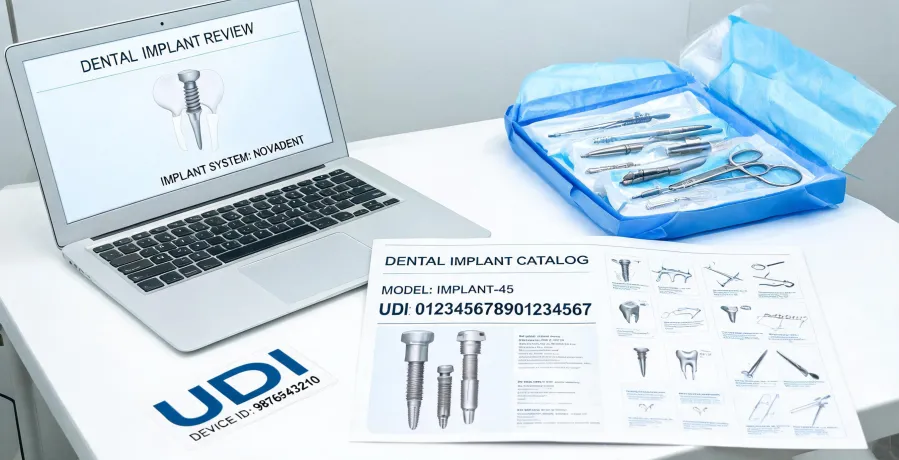
In the U.S., every regulated medical device has clearance or approval status that you can verify in the FDA database at accessdata.fda.gov. The device's UDI (Unique Device Identifier) should trace back to the Global Unique Device Identification Database. If you're ordering components for a robotic-assisted platform like the Zimmer Biomet ROSA system, confirm the implant components are validated for the specific software version you're running.
Why this matters on the ground: if your hospital participates in a joint replacement registry — like the American Joint Replacement Registry coordinated by the AAOS — you need accurate lot numbers, catalog numbers, and device identifiers in your records.
During a compliance audit in 2023, we discovered we couldn't match lot numbers to specific patients for about 8% of our hip and knee cases. The issue wasn't product quality. It was inconsistent receiving documentation. That audit cost us two weeks of administrative time and a visible dip in confidence from our surgical leadership.
Checkpoint: Does each line item on the purchase order include the UDI, lot number, and a reference to the FDA clearance or approval?
Related supply categories: same framework, different details
Our team also handles non-implant categories — I should mention this because the checklist tends to travel. We order ostomy supplies — colostomy and ileostomy bags, skin barriers, flanges, irrigation kits — and we process orders for mobility aids. If you're asking 'what is a mobility aid,' it's any device that supports a patient's movement: canes, walkers, crutches, rollators, wheelchairs. These are frequently on the same purchase order as a joint replacement because patients need them after surgery, and honestly, a mobility aid that arrives late does more damage to a hospital's reputation than almost any other supply delay.
The product-level specifics are different, but the verification framework is identical: check the current catalog, confirm compatibility, inspect packaging and dates, and document tracking information.
Common mistakes I still see — and almost made myself
Trusting memory over the live catalog. The item you ordered last month may have been updated or discontinued. I don't have hard data on how often that happens industry-wide, but based on our own order history, roughly one in twenty orders has at least one component with an outdated reference.
Skipping instrument checks on 'routine' cases. The repetitive orders are exactly where complacency creeps in. The first robot-assisted case gets more scrutiny than the fortieth basic knee — and the fortieth is where the mistakes happen.
Ignoring expiration dates on consignment inventory. Everyone checks what's being shipped. Almost nobody checks what's been sitting in the cabinet for eight months.
Not including the clinical team in the final review. One email to the OR coordinator can catch an error before it becomes a patient-care issue. It's worth the two minutes.
This checklist works well for a mid-sized regional hospital with mature vendor relationships. If you're at a large academic center with multiple implant vendors and complex consignment agreements, you'll need additional layers. But this foundation is what stopped the bleeding for us — and if you're ordering Zimmer Biomet or any other major implant portfolio, it'll do the same for you.

Leave a Reply